
You can reset your password at any point by following these steps:
Head to our Login page here.
Click the "Forgot password?" link below the login in button.
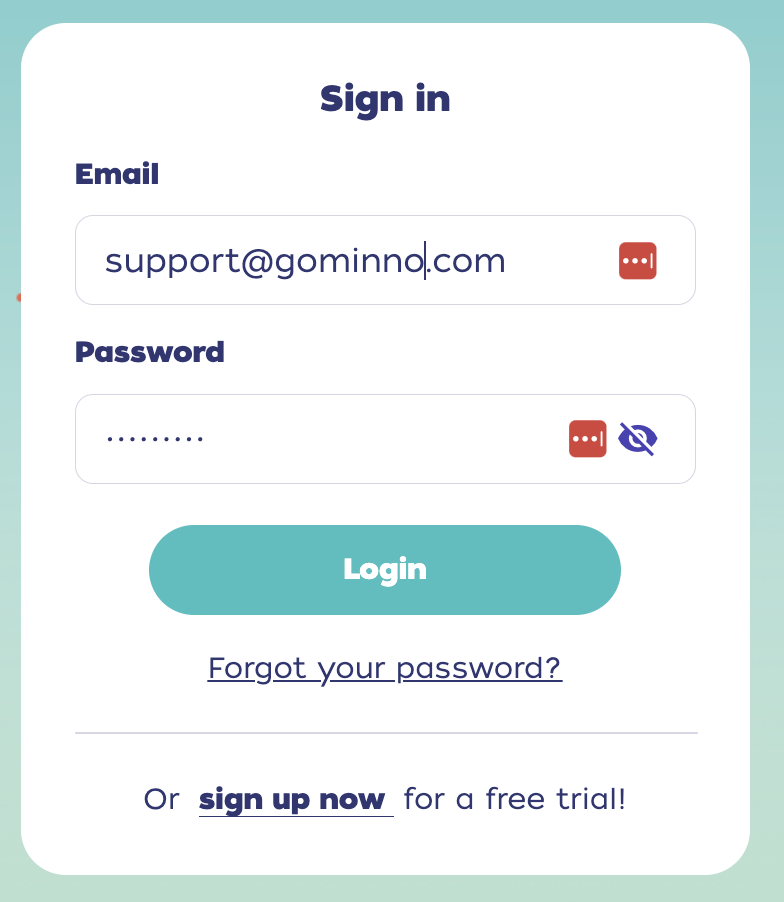
Type in your Minno email.
Click "Reset Password".
Check your email & follow the instructions to reset your password.
You can also change your password by doing the following:
Head to our Login page here.
Log into your account by adding your Username and Password.
- Click on the Family icon on the top right-hand side.
- Click on "Settings"
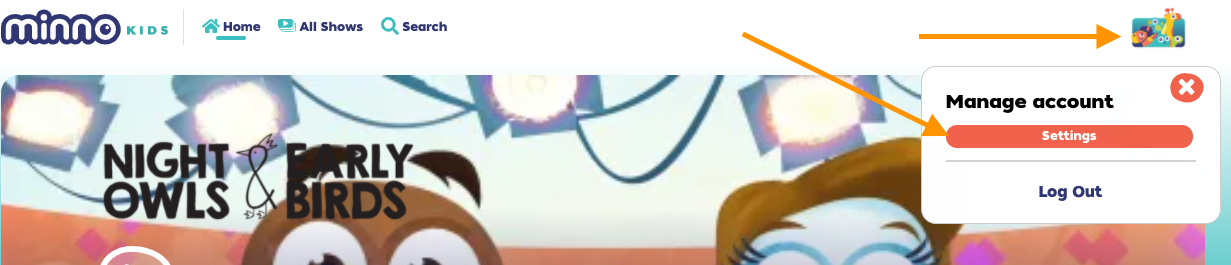
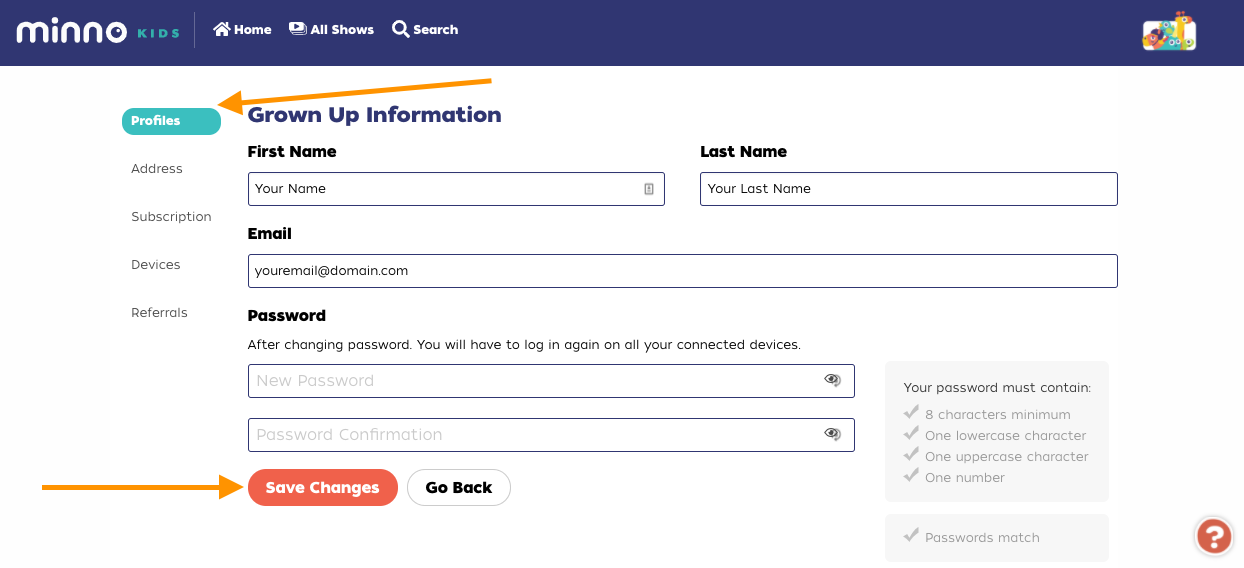
- Click "Profile".
- Click "Manage Account" next to your email address.
Type your preferred password.
Confirm it on the box below.
Click "Save Changes".
Experiencing issues trying to reset or change your password? We're here to help!
Check out this article for basic troubleshooting steps.
Still have questions? Send us an email at support@gominno.com. We'd be more than happy to help!