
Thanks for reaching out! The PayPal system is pretty limited in its options. The best way to switch to the credit card/debit option is to complete the following steps via Google Chrome, Safari, or Firefox on a computer:
Cancel your current plan:
Log in to your Minno account
Click on the family icon on the upper right-hand side.
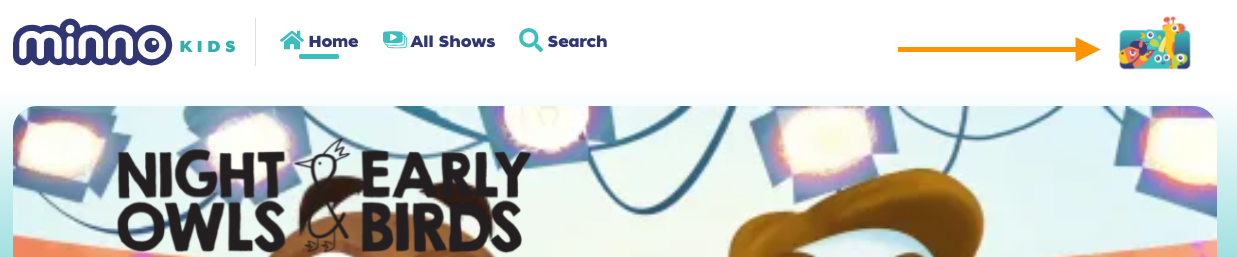
Click on “Settings”.
Confirm your password (We do this for security reasons and to keep your kiddos from having access to your account settings).
- Click 'Subscription".
- Next to your subscription plan click on "Edit".
- Then click on "Cancel Subscription"
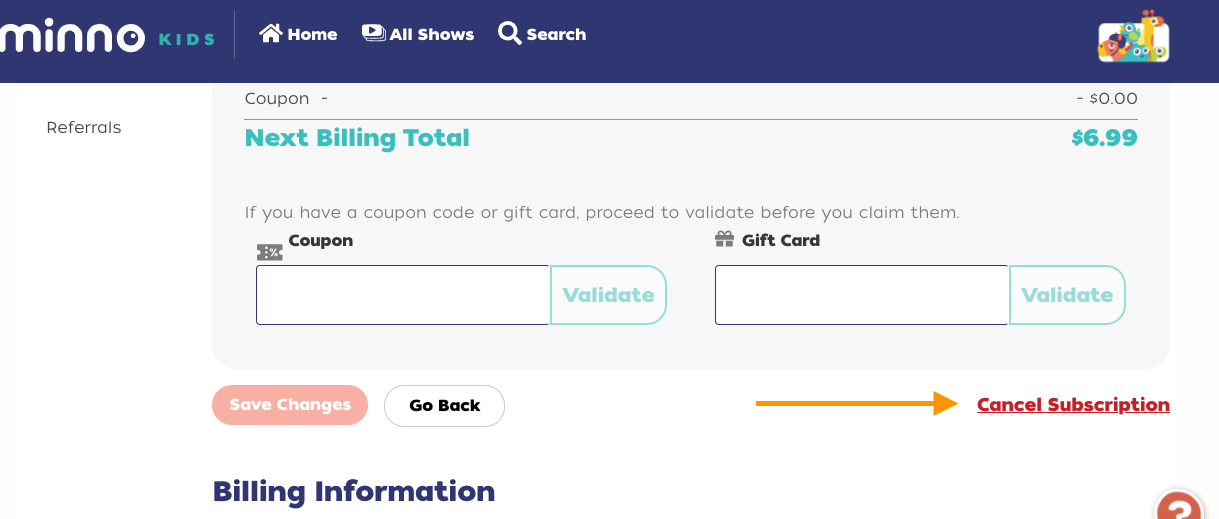
Click on "Yes, I'm sure". Then if you wish you could add a cancellation comment like: “Switching from PayPal to credit card”.
Once that's done, let's add your new plan:
Go back to the Subscription page.
Under "Subscription Plan" select the plan you'd prefer (Monthly or annual).
- Click on "Save Changes".
- Then, under "Billing Information" click on "Edit".
Add your card information.
Click "Update Billing Info" and you're all set!
Still have questions? Send us an email at support@gominno.com. We'd be more than happy to help!