
If you are trying to edit a profile from our website, please follow these steps:
- If you are not logged in, please go to https://account.gominno.com/ and access your account.
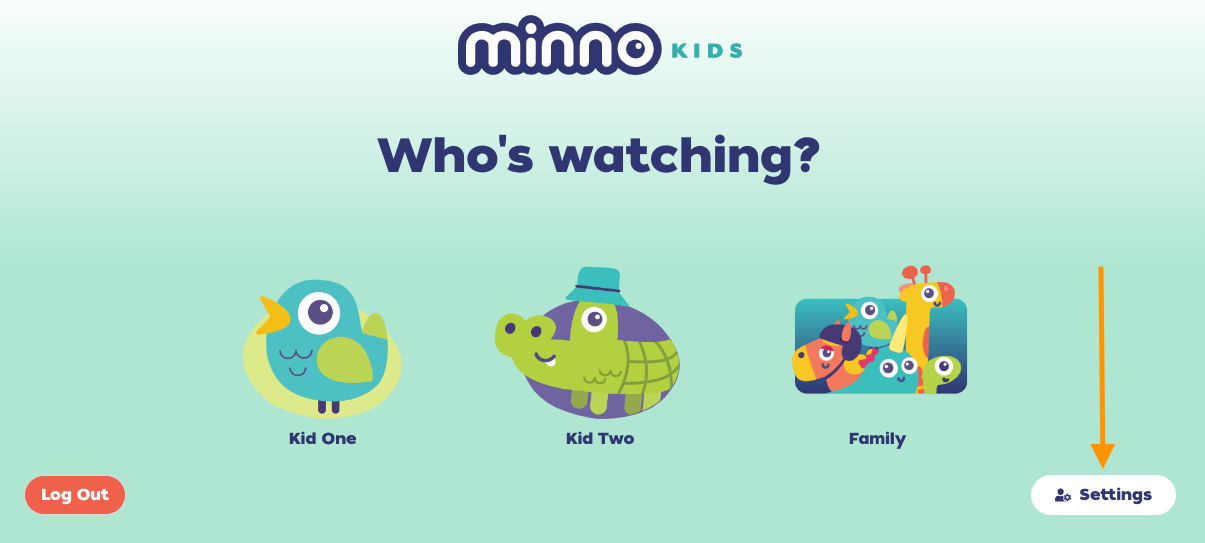
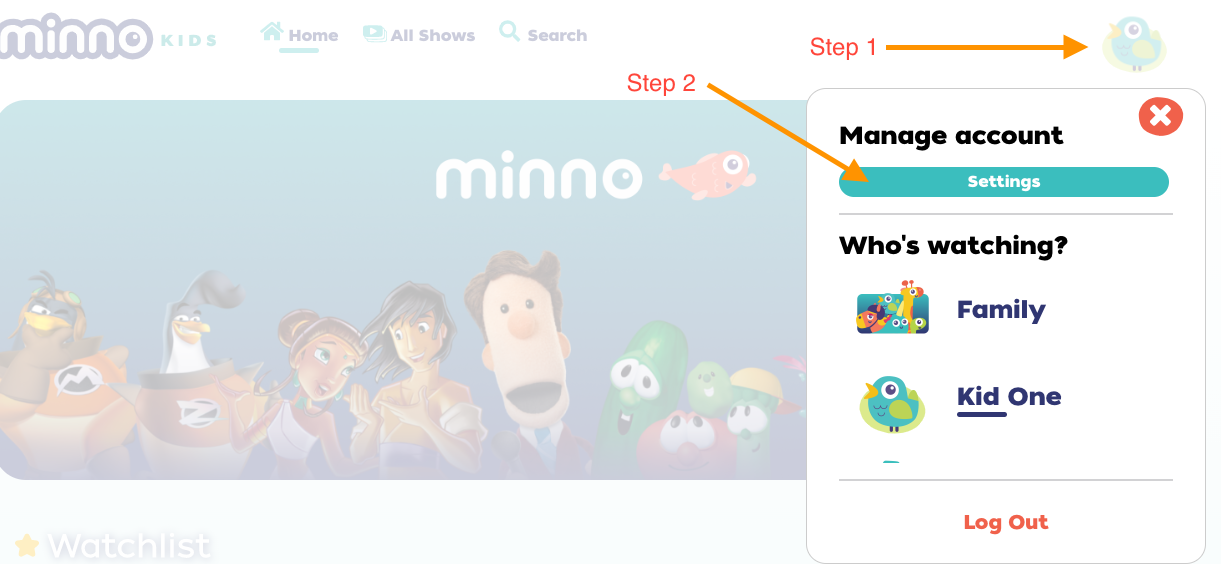
- Once you are logged in, please click on "Settings" located on the right side of the screen. Or if you are already logged in, click on the avatar's icon located on the upper-right-hand side of the screen, and then click "Settings".
- Confirm your password.
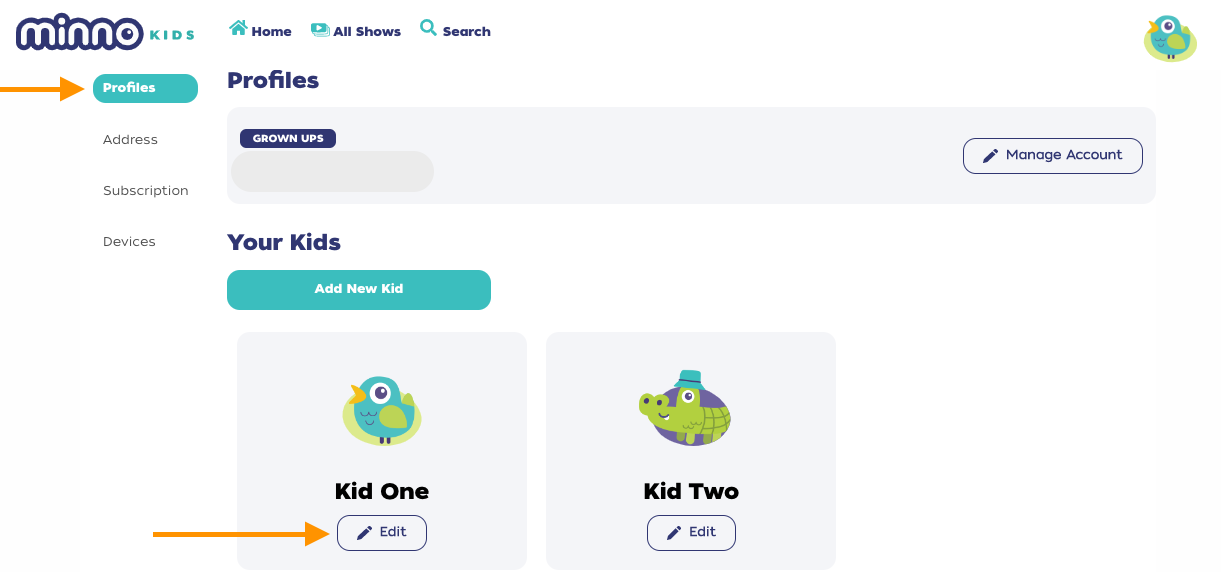
- On the left menu, make sure you are on the "Profiles" section, and then scroll down to "Your Kids" section.
- There you will see the profiles you have created. Click on the "Edit" button below the profile you want to make changes to.
- Once you are done editing it, click on "Save Changes".
Still have questions? Send us an email at support@gominno.com. We'd be more than happy to help!