
If you are trying to edit a profile from our iOS or Android mobile app, please follow these steps:
- Open our new Minno Kids app (Version 5.0).
- Tap on "Settings".
- Confirm your password.
- Tap on the "Edit"(Pencil) icon below the profile you want to make changes to.
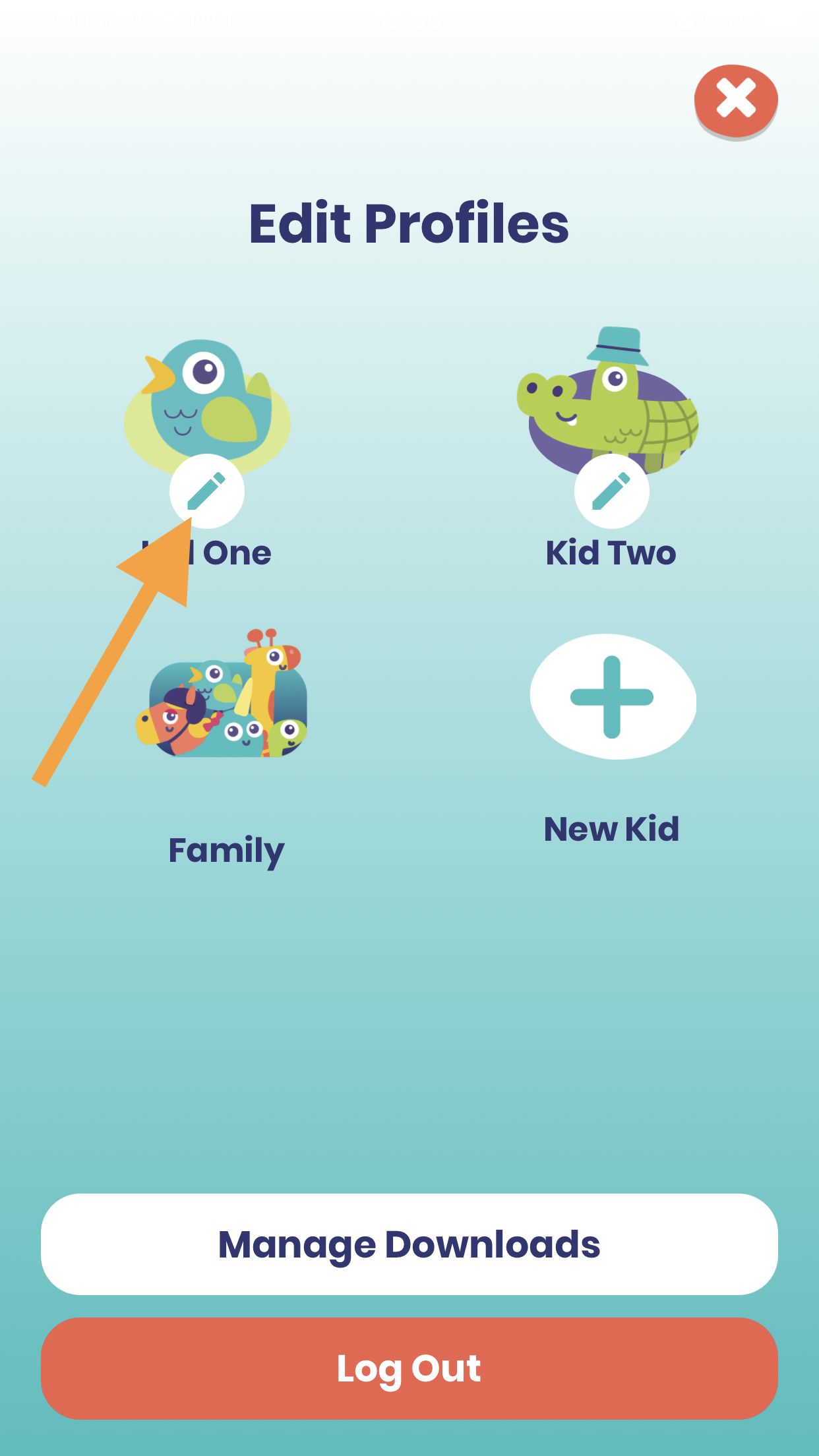
- There you'll be able to edit the name. Or if you want to change the avatar or background color, click on "Edit".
- Once finished, tap "Done" at the bottom.
- If you are done editing the profile/s, tap the X icon located on the upper-right-hand side.
- If you are trying to remove/delete a profile from one of our mobile apps, please log in to your Minno account using a browser, and go to https://kids\-uat.gominno.com/account.
Still have questions? Send us an email at support@gominno.com. We'd be more than happy to help!